How do I fix Shopee "Selected category is mandatory to fill in size chart, please fill in the size chart id or change the category"?
Since December 2024, Shopee requires products from select categories to have size charts.
We strongly encourage you read the official documentation from Shopee about this: https://seller.shopee.sg/edu/article/14903
Here is the guide on how to add a size chart template for your products:
1) Head to your Shopee dashboard -> products -> size chart management
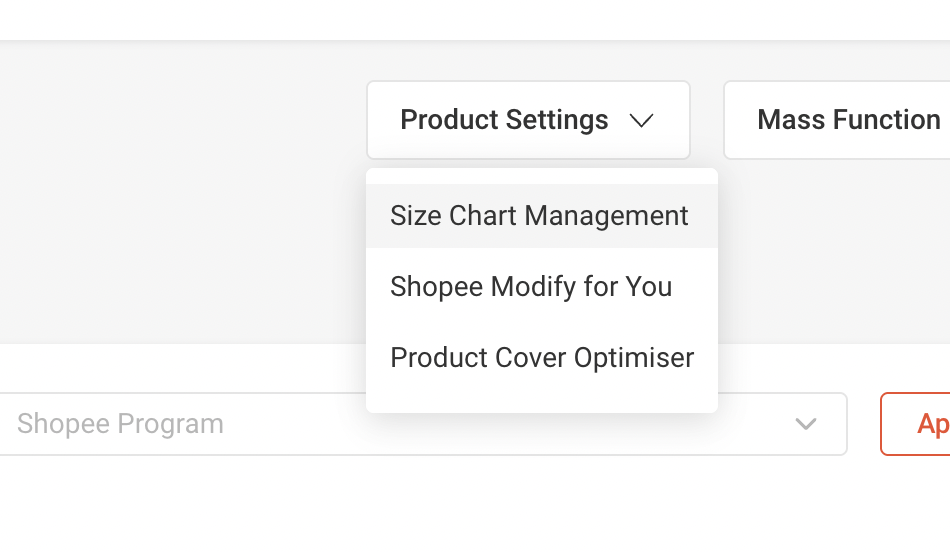
2) Click on "Add New Template"
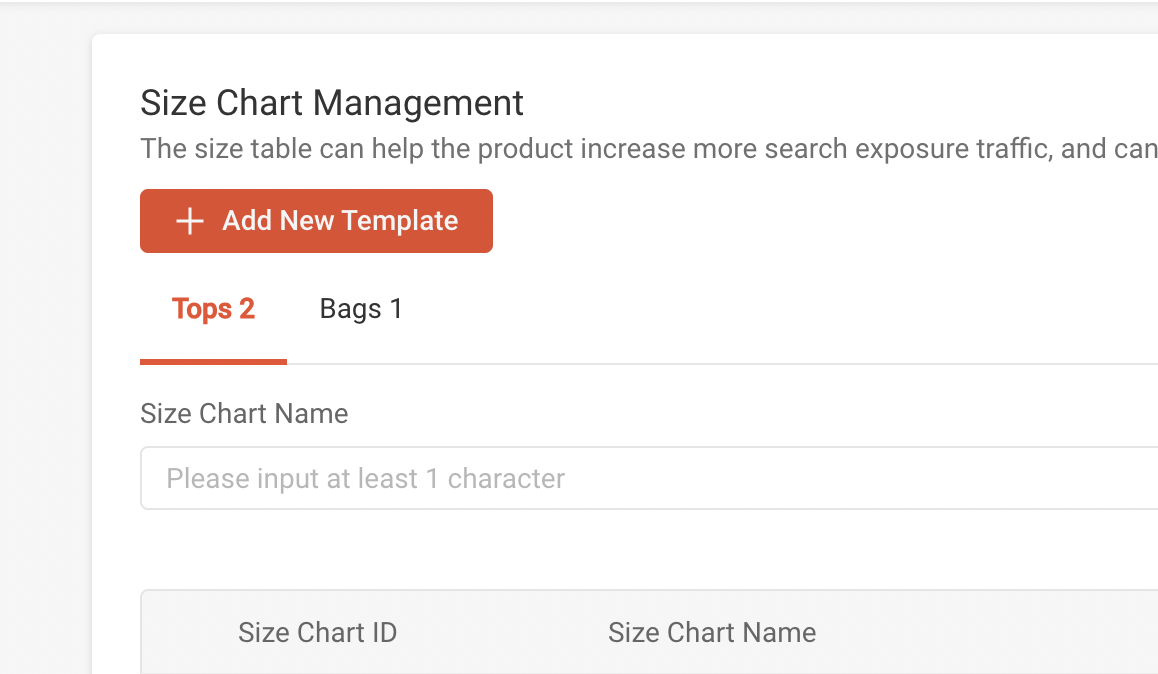
3) Look for the appropriate category that you're planning to add your product to on Shopee. For example, if you're selling bags - then your virtual category would likely be "Bags"
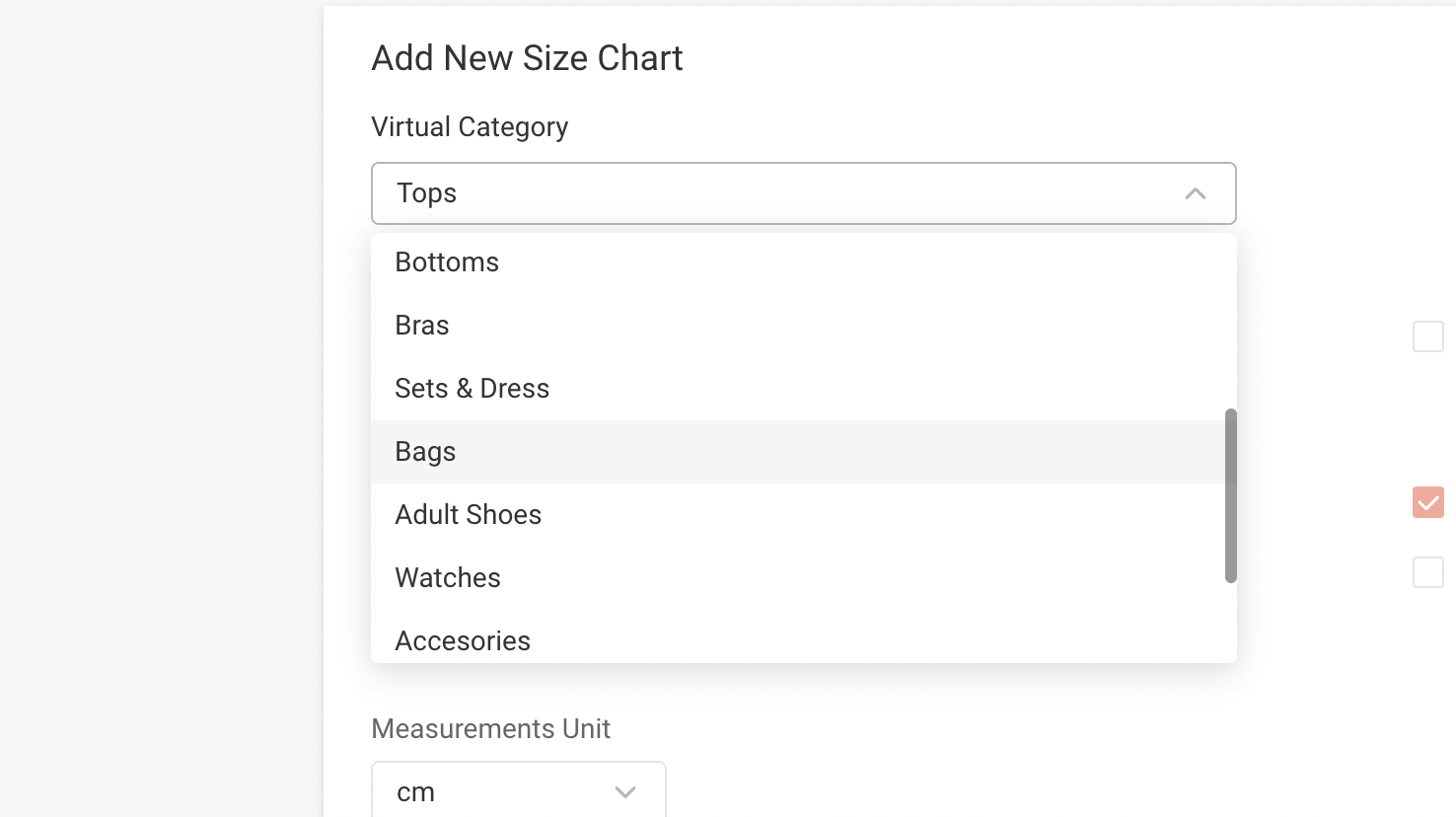
4) You may fill up the rest of the required values with anything, since you can edit these values again later when your product is already on Shopee. The goal here is to just satisfy the size chart requirement.
5) If you'd like to test it, try going to your Shopee dashboard's new product page and select the category you're planning to add from Shopify into Shopee. For example, since I selected bags as the example, I used the following one on the screenshot below

6) The size chart template that was just created should show up:
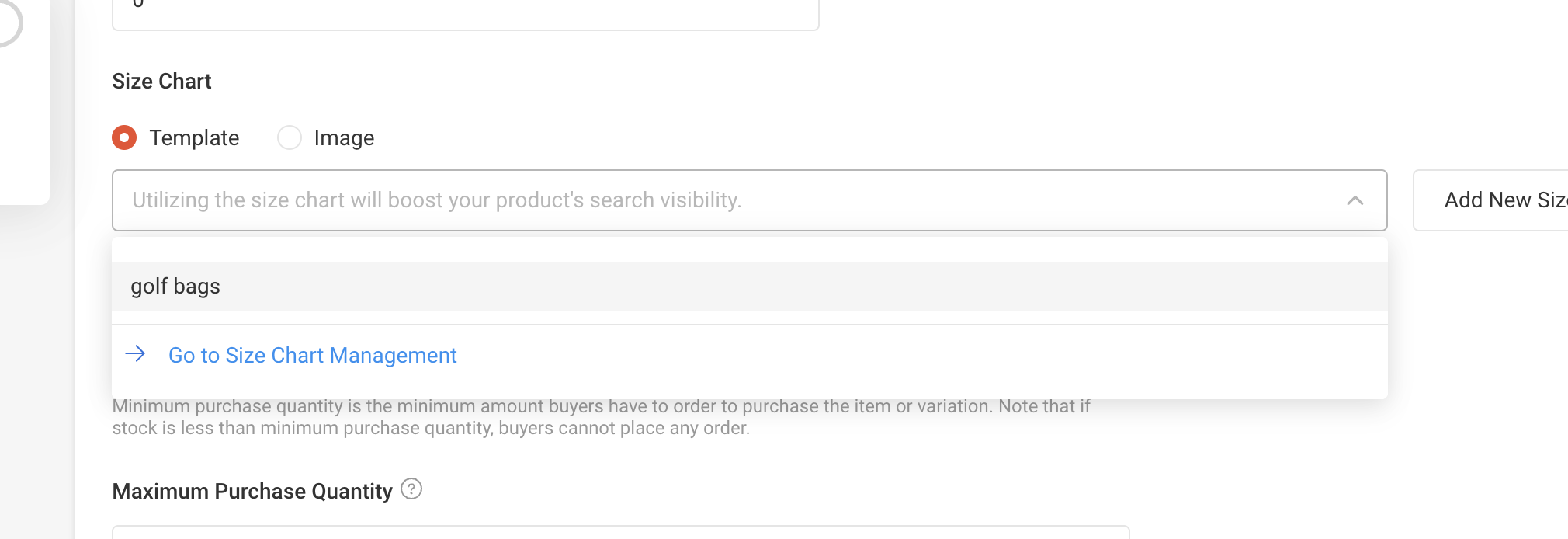
If everything is set up properly, you'll now be able to properly add your product from Shopify to Shopee.